
Examples
The package ships a Demo sample with two things in it: a settings panel, and a ten-page gallery that is also the runtime test suite.
Import it from the Package Manager, or copy Views/ to Assets/AUI/Demo/ and lang/ to Assets/AUI/Lang/.
What is in the sample
| Settings panel | a three-tab settings dialog with sliders, a toggle, a dropdown, a text input, the language picker and a confirm modal, in English, Turkish and Japanese. Paired with a world script to show both directions of communication |
| The gallery | a hub with a sidebar of tabs and one nested view per page, each demonstrating one part of AUI |
| Recipes | short self-contained snippets to copy |
Running it
- Import the sample.
AUI/Create Settingsif the project has none, thenAUI/Bake Fonts.- Let the importer build the prefabs. Watch for
[AUI] built ...; children build before parents. AUI/Rebuild Input Panelin the scene you place them in. The language table is rebaked by the build itself once the scene has anAUI Language Service;AUI/Rebuild Language Tablecreates one.- Drop
SettingsDemo.prefabandAuiGallery.prefabinto the scene, about 1.2 m up and facing the player.
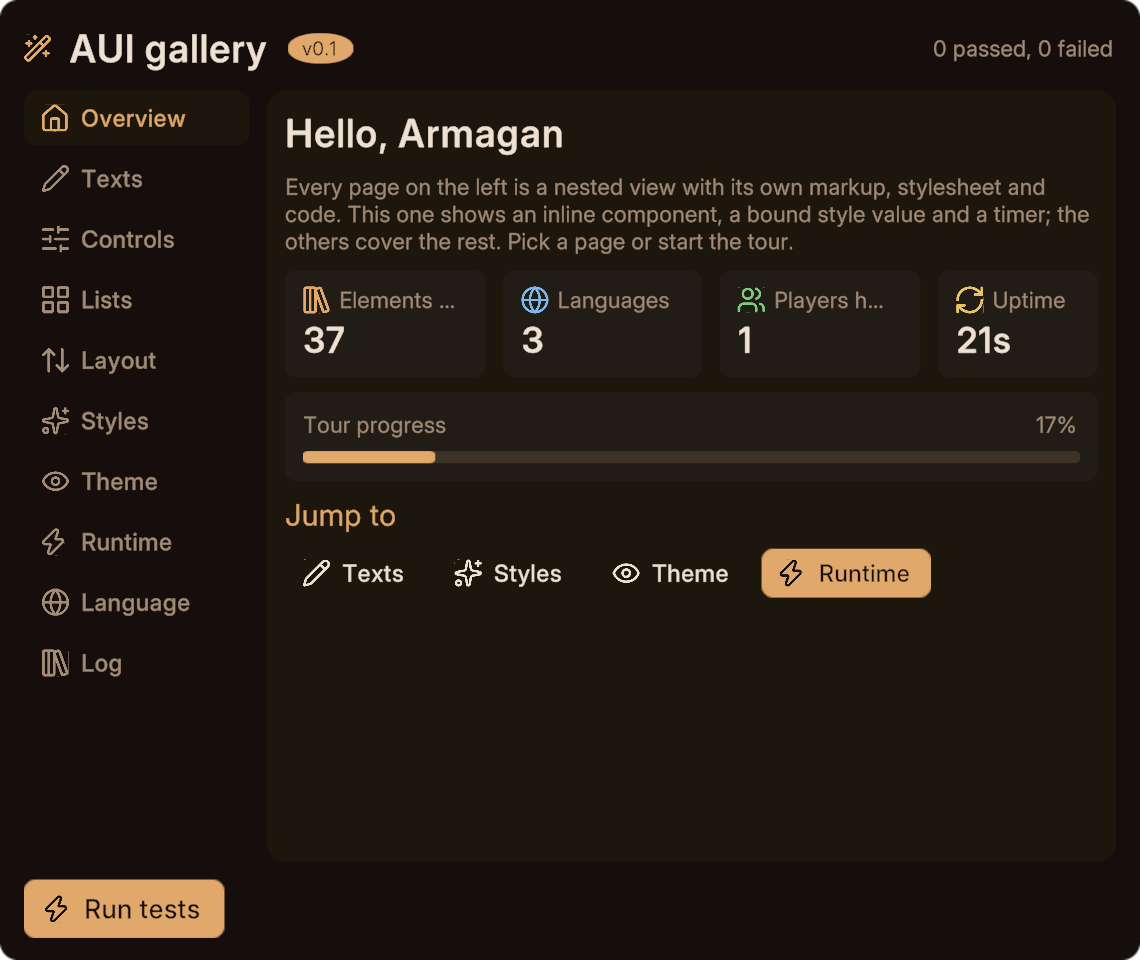
The gallery is a test suite
Its RunTests method (also the _TestRun custom event) drives every child page through its typed API and checks what actually rendered, logging [AUI gallery] PASS name per check.
Press Run tests in play mode after an update to confirm your setup is healthy. See testing.
Reading the sources
The gallery is the best-commented AUI code there is, and every page is deliberately small. If you are looking for how to do something specific, the gallery page index maps each feature to the file that demonstrates it.