
Layout
AUI implements a small subset of flexbox, solved in the editor and re-solved in Udon when something changes. Units are millimetres.
The default
A <view> and a <panel> are columns by default, with align: stretch. Children stack downward and fill the width.
<view name="Demo" width="300" height="200">
  <text key="a"/>   <!-- these stack vertically -->
  <text key="b"/>
</view>
Make a row with the theme's .row class, or directly:
<panel class="row"> ... </panel>
<panel style="flex-direction: row; align: center; gap: 12"> ... </panel>
The box
Each element has padding inside its border and margin outside it, and a container puts gap between its children.
.card {
  padding: 12;          /* all four sides */
  padding: 8 12;        /* vertical, horizontal */
  padding: 8 12 10;     /* top, horizontal, bottom */
  padding: 8 12 10 14;  /* top, right, bottom, left */
  gap: 8;
}
Sizing
| Value | Meaning |
|---|---|
120 or 120mm | fixed |
50% | of the parent's content box |
auto | intrinsic: as big as the content needs |
min-width, max-width, min-height and max-height clamp the result.
Without an explicit size an element is content-sized. Text measures to its widest translation across every language, plus 2 mm, so a panel does not reflow when a player switches to German.
Bound text needs a hint
A text="{binding}" has no translation to measure, so it is measured with the settings' boundTextSample instead. If your runtime strings are longer than that, give the element a max-width (with wrap="true" if it should wrap) or a width. Text that does not fit is the most common layout surprise.
Distribution
justify places children along the main axis; align positions them on the cross axis.
.bar {
  flex-direction: row;
  justify: space-between;   /* start | center | end | space-between */
  align: center;            /* start | center | end | stretch */
}
grow shares out the leftover main-axis space:
<panel class="row">
  <text key="label"/>
  <spacer/>              <!-- grow: 1 from the theme; pushes the rest to the end -->
  <button onclick="Go" key="go"/>
</panel>
<spacer/> is just an element with grow: 1. <spacer size="8"/> is a fixed 8 mm gap instead.
Wrapping
A row container with wrap: true breaks fixed-size children into lines. The theme's .grid class is exactly that:
.grid { flex-direction: row; wrap: true; gap: 8; }Out of the flow
Four things take an element out of the normal flow, so it occupies no space among its siblings:
| Effect | |
|---|---|
display: none | removed entirely, not laid out |
the hidden attribute | the same, set in markup |
position: absolute | placed with top / right / bottom / left |
anchor: ... | placed against a side or corner of the parent |
<panel style="position: absolute; top: -6; right: -6" class="badge">
  <text text="{unread}"/>
</panel>

<panel style="anchor: fill"/>          <!-- covers the parent -->
<panel style="anchor: center"/>        <!-- centred, intrinsic size -->
Edges may be negative. Two opposite edges with no size stretch the element between them; an explicit size wins over the opposite edge (and warns, AUI403). An edge on a non-absolute element is ignored (AUI404).
anchor: fill is shorthand for position: absolute with four zero edges.
Overflow
When children do not fit, text and content-sized children shrink proportionally (down to a 24 mm floor) before AUI400 is reported. A warning means the panel is genuinely too small for what you put in it: raise the view's width/height, or give the offending text a max-width and wrap="true".
Changing layout at runtime
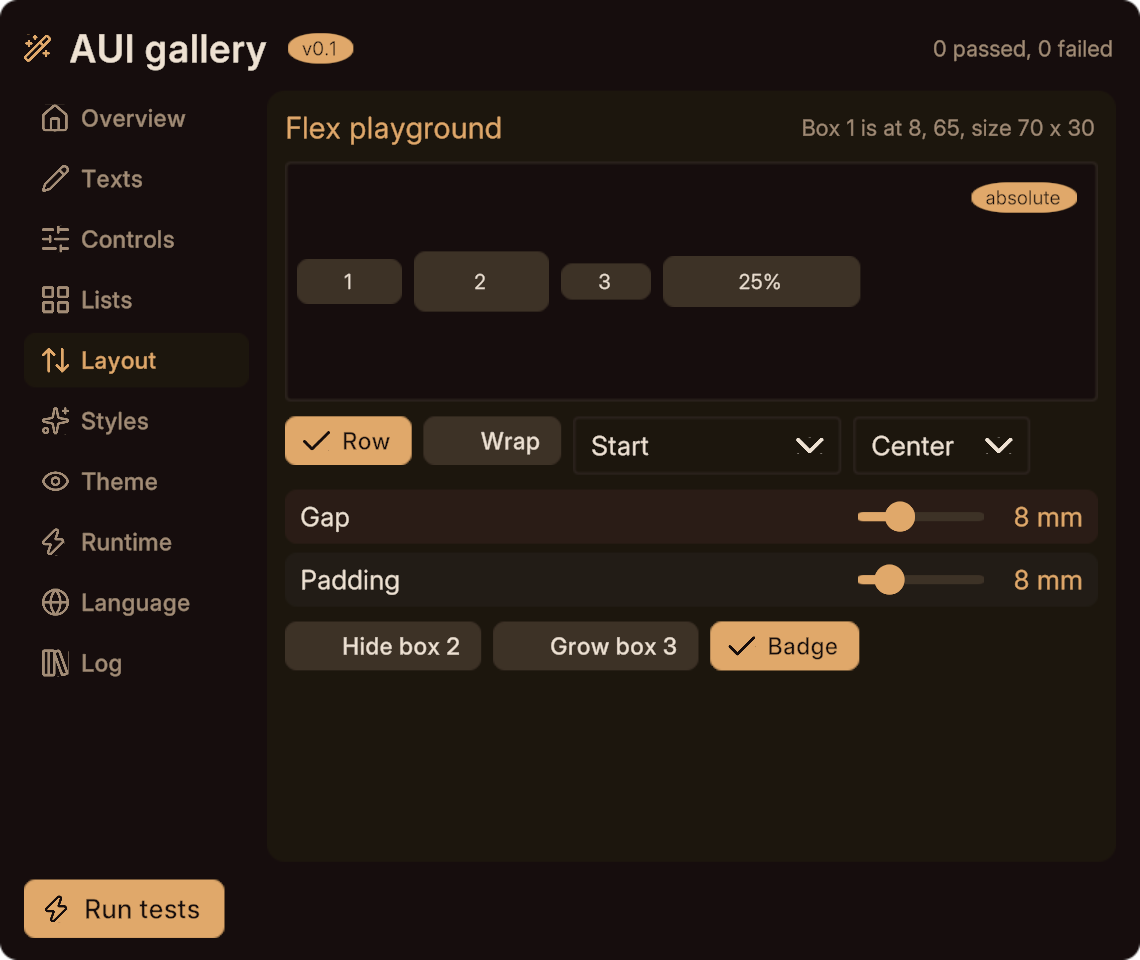
The solver runs again in-world. These all trigger a re-solve:
- setting any text (a generated setter, or
SetText) SetActiveElem(elem, false)/SetDisplaySetRepeatCount(repeat, n)- a page entering
- a language change
SetPosition/SetSize- a bound style value that affects layout
Solves are coalesced: at most one per frame, and only when something marked the view dirty. To batch a lot of changes into one solve:
SetAutoRelayout(false);
RowsCount = 12;
SetActiveElem(E_BANNER, false);
SetAutoRelayout(true);       // one solve here
or call Relayout() explicitly. RelayoutNow() solves synchronously if you need the numbers in the same frame.
You can read the solved rectangle back:
float x = LayoutX(E_CARD), y = LayoutY(E_CARD);
float w = LayoutW(E_CARD), h = LayoutH(E_CARD);
Set debugLayout on a view to log every solve and its duration.
Next
- Style properties for every layout property and its values.
- Changing a view at runtime for the full mutation API.
- Lists, whose row count drives the layout.